What is the Best Podcast Editing Software in 2026?
There are loads of solid podcast editing software options out there. 1 in 4 use Audacity, but Audition, Descript, and Alitu all have their strengths.

I know what you're thinking. Here's a guy from podcast editing software Alitu about to offer his opinion on the best podcast editing software.
I wonder what he'll recommend?
But I've been editing podcasts on a multitude of different platforms for well over 15 years. What I can tell you is that there is no "best" software option.
Sure, there are definitely "best" options for particular use cases, and hopefully, Alitu will fall into that bracket for some. But this isn't an advert. I'm here to help you pick the best fit because that will give you the best chance of keeping going. And podcasting could always do with more good creators. Especially human ones like you!
What Are The Most Popular Podcast Editing Software Platforms?
A good place to start is by looking at what most other podcasters use. This is based on data from the Indie Podcasters Gear, Software, & Setups survey.
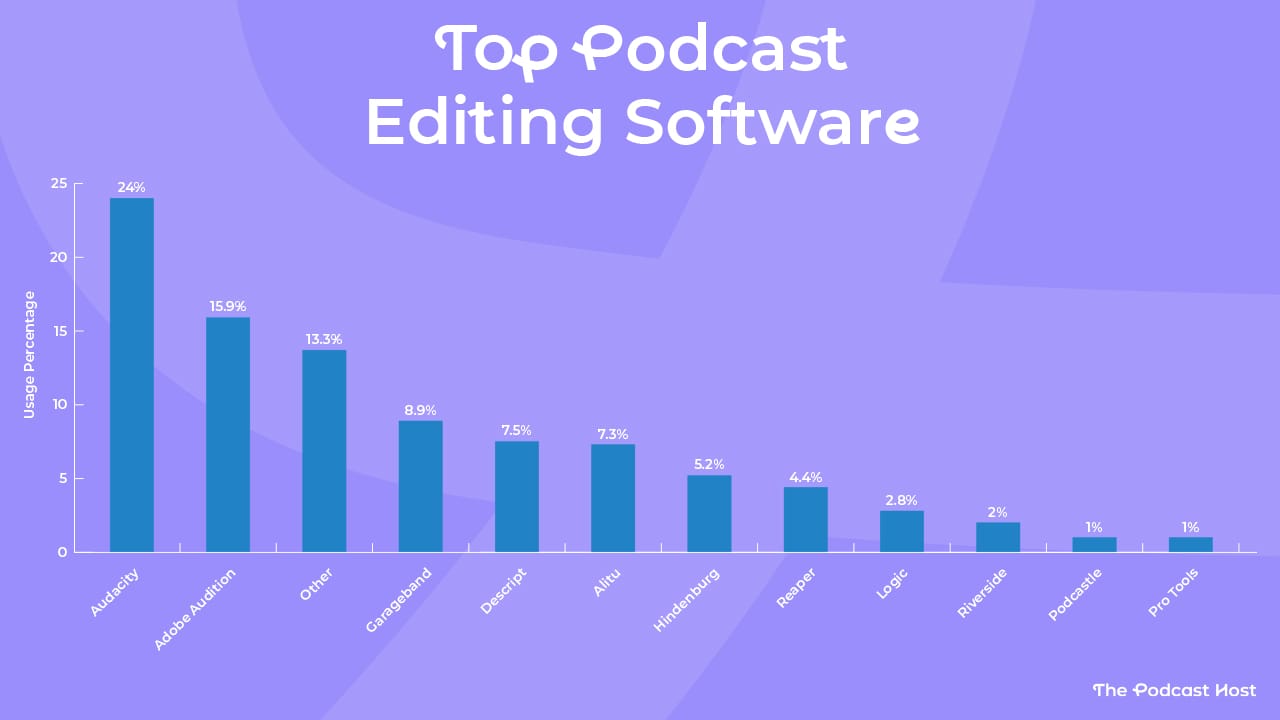
You'll see that "Other" came in third - no great surprise, as there are just so many options out there. So we'll throw out that one and take a look at the top five name-checked podcast editing software options: Audacity, Adobe Audition, GarageBand, Descript, and Alitu.
Here's how podcasters are using these editing tools based on their experience level...
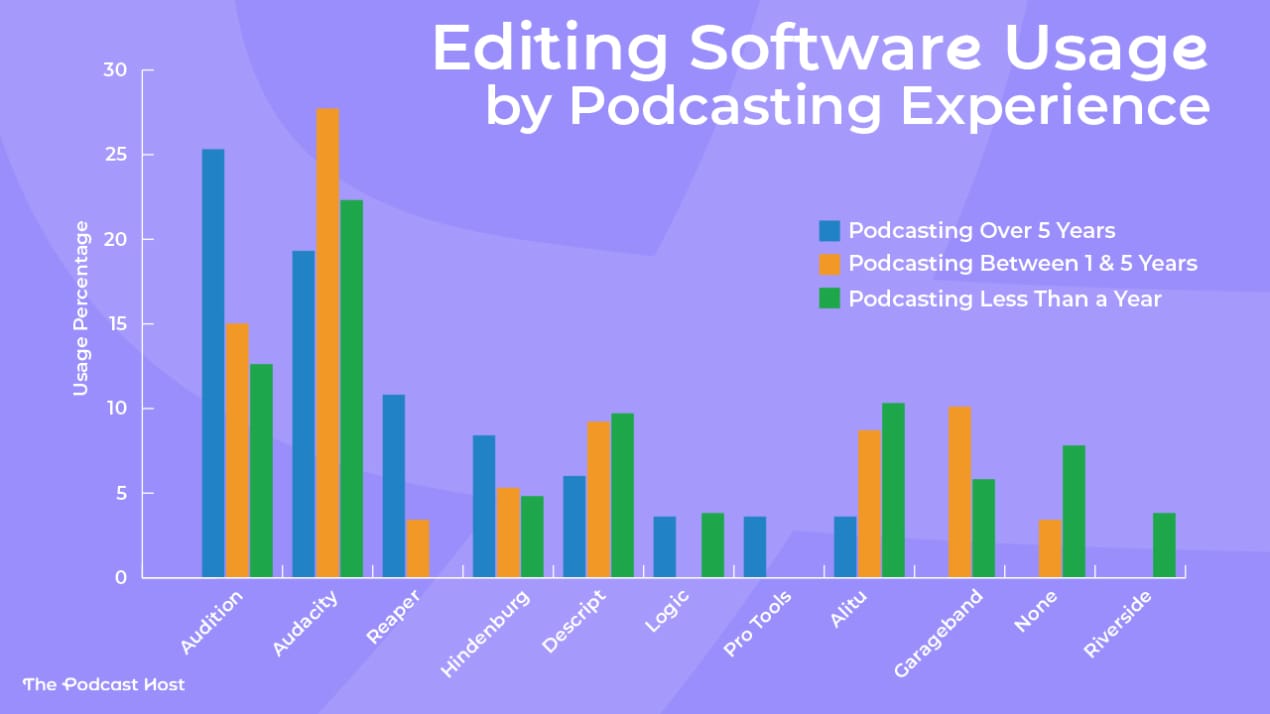
In the editing software usage by podcasting experience data, a few things jump out:
- Audacity is widely used by beginners and veterans alike
- Audition is mainly used by experienced podcasters
- GarageBand's users tend to have launched within the past five years
- Descript and Alitu clearly appeal to the newest generation of podcasters
Let's take a look at each one individually:
Audacity
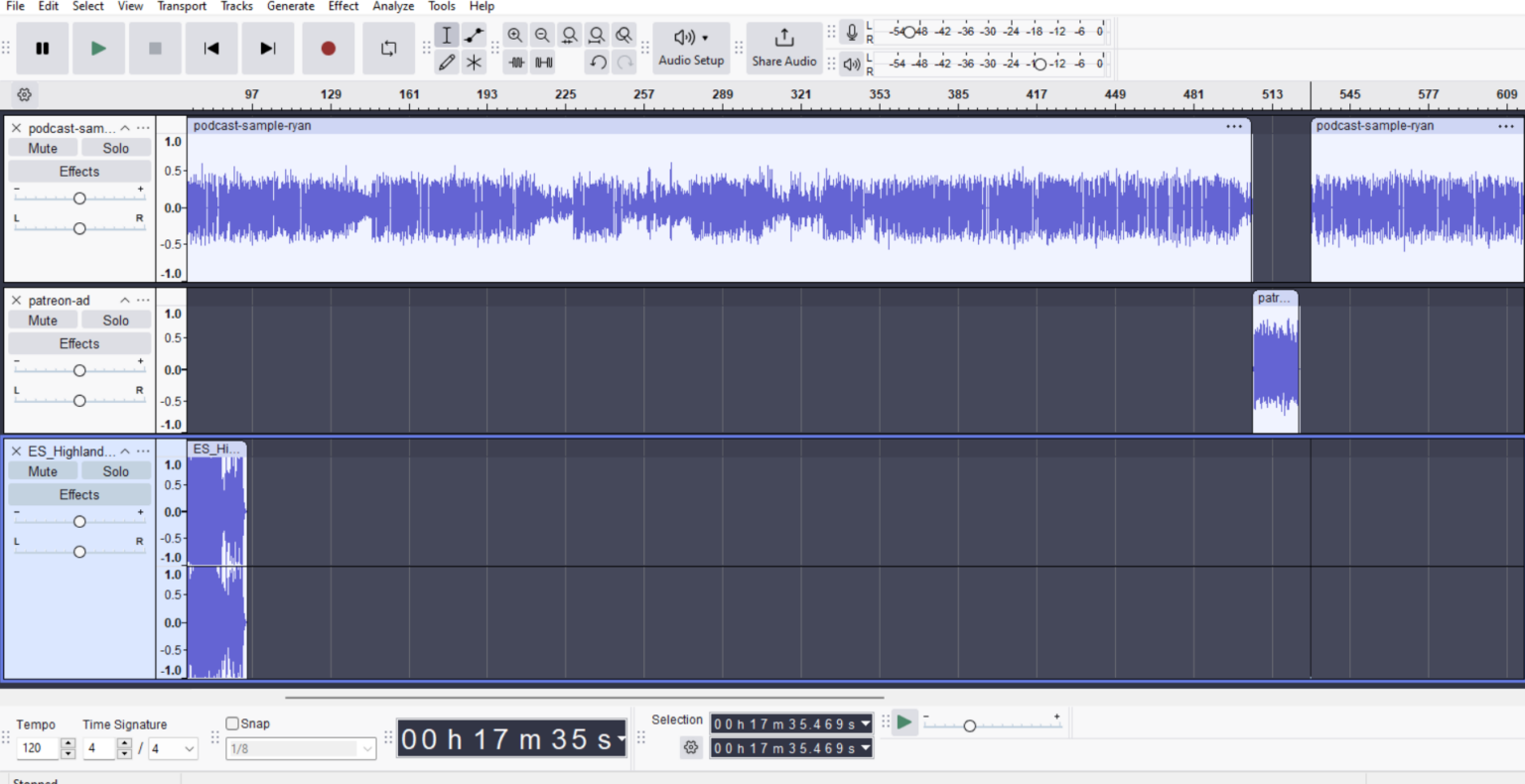
Audacity is the venerable grandfather of audio editing software - older than podcasting itself. In its 26th year, you'd be right in thinking Audacity has had many iterations over its life, and today it's honestly a very good programme.
Audacity Pros
- Free!
- Has evolved into a very intuitive and powerful audio editor
Audacity Cons
- Steep learning curve if you've never edited audio before
- No built-in call recorder
- No video editing capabilities
- No built-in podcast hosting
Adobe Audition
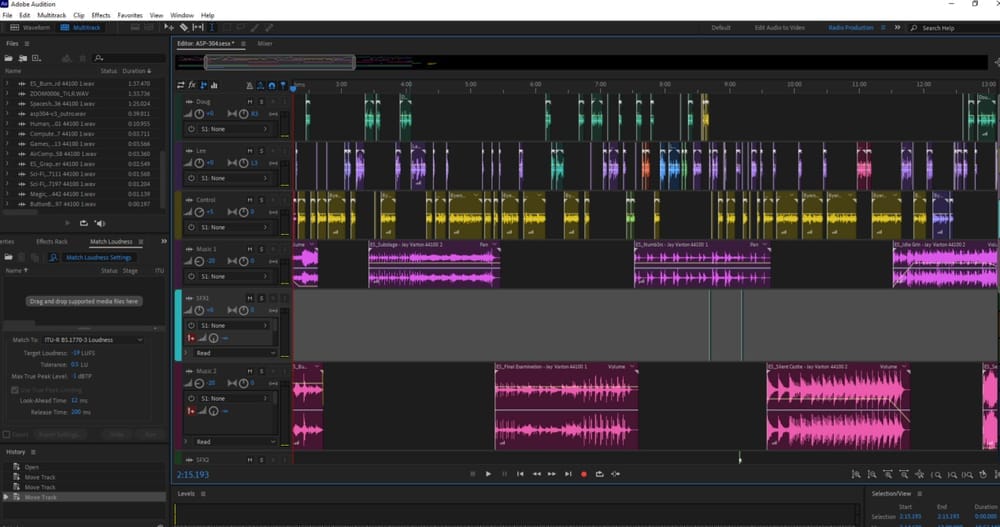
I've been using Adobe Audition for 16 years, so I'd know my way around it in my sleep. I still like it, but it's hard to make a case for new podcasters using it these days. If you want to edit with a DAW (Digital Audio Workstation), modern Audacity goes toe-to-toe with Audition, and has the added bonus of being free.
Audition Pros
- Powerful, flexible, heavily customisable
- Granular control over your productions
Audition Cons
- Steep learning curve
- No built-in call recorder
- No video editing capabilities
- Doesn't get much support from Adobe these days
- No built-in podcast hosting
GarageBand
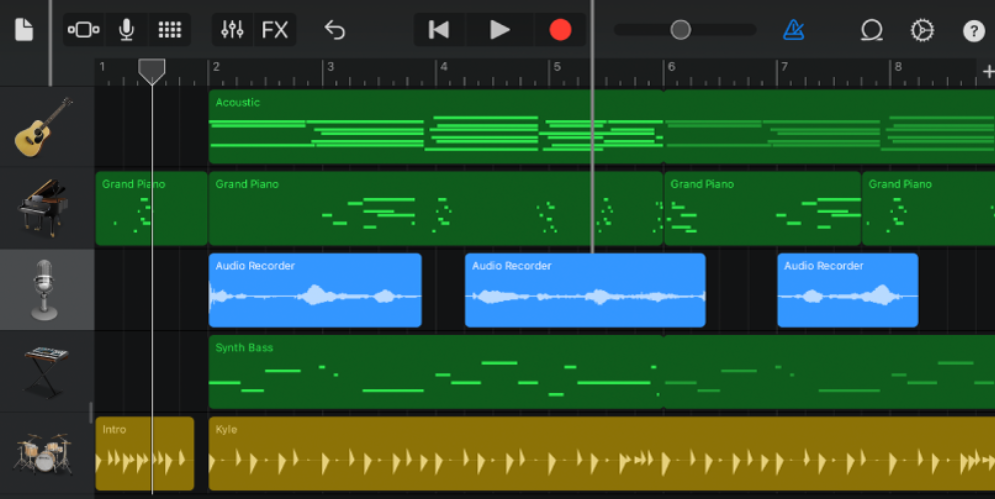
I've only used GarageBand a handful of times over the years, but it struck me as a very music-first audio editor. I guess the clue was in the name, eh? If you have it pre-installed on your Mac, you might fancy kicking the tyres. But honestly, unless you're already using GarageBand and getting on well with it, I'd opt for Audacity instead.
GarageBand Pros
- Free for iOS users
- Often pre-installed
GarageBand Cons
- No built-in call recorder
- No video editing capabilities
- No built-in podcast hosting
Descript
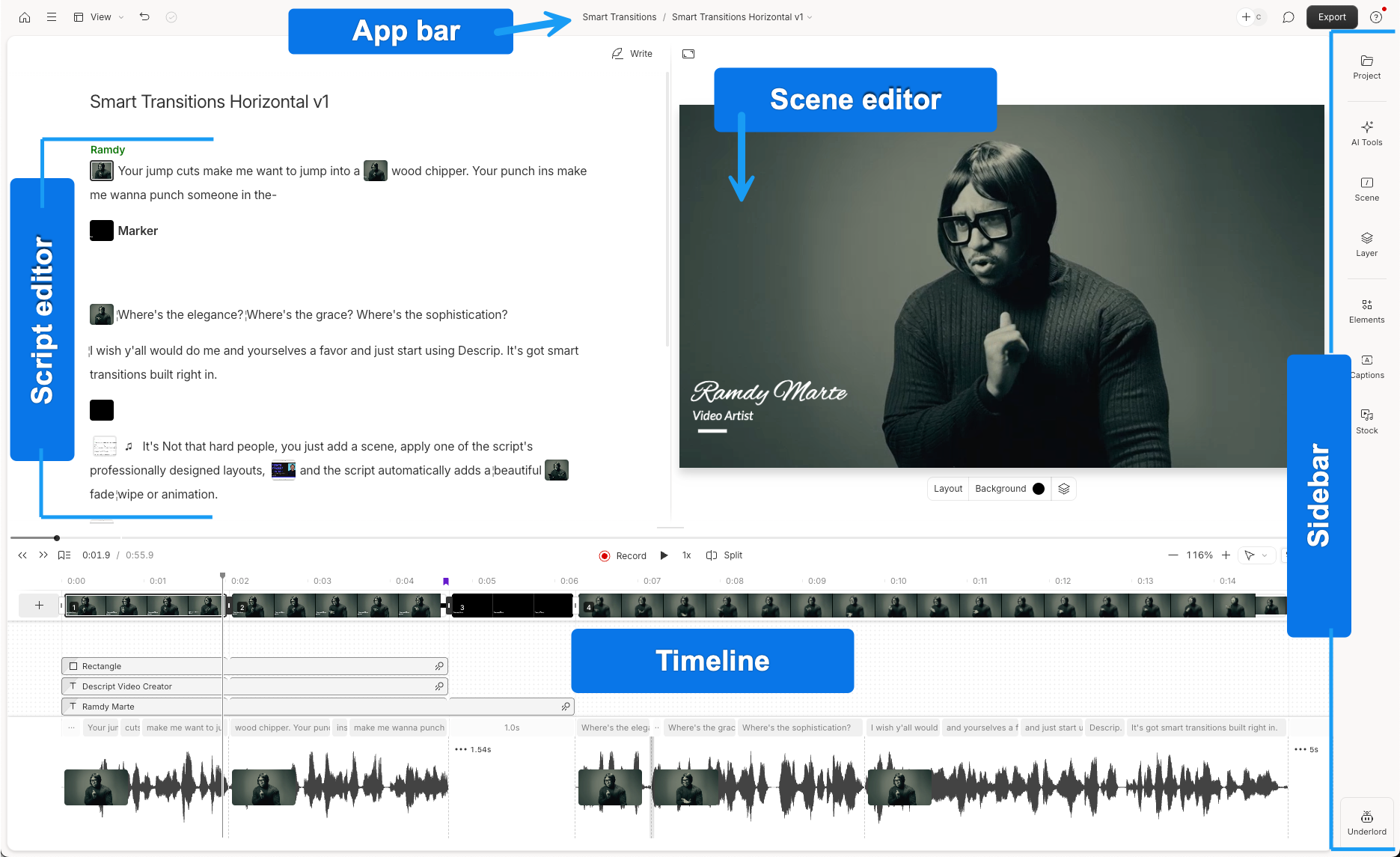
Descript is one of the new generation of podcast-maker tools. It was the first platform where I came across groundbreaking features like automatic filler word removal and transcription-based editing. Descript now runs on Squadcast to power its call recording, too, making it one of the best overall podcast software options out there.
Descript Pros
- Built specifically for podcasters
- Includes video and audio call recording
- Intuitive editing tools (filler word removal, text-based editing)
- Video editing capabilities
- Video clip creation
- Powerful auto noise reduction and audio enhancement tools
Descript Cons
- Lacks the granular control of a traditional DAW
- No built-in podcast hosting
Alitu
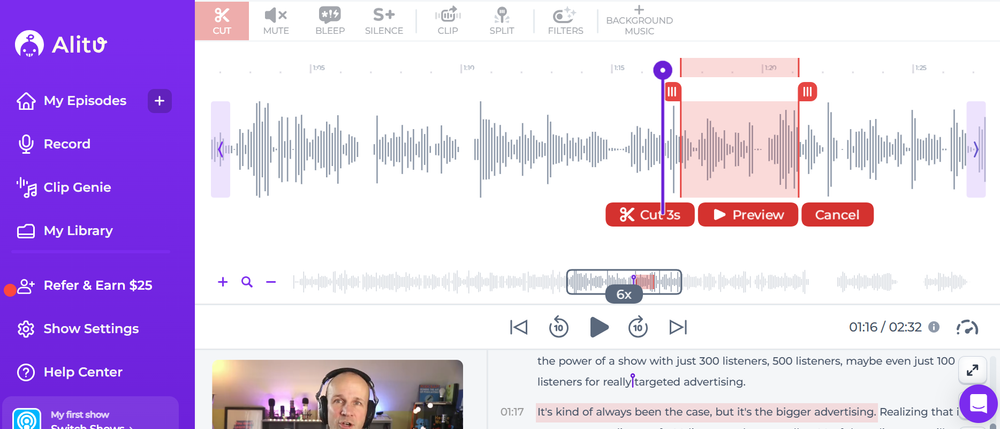
We launched Alitu back in 2018 because so many of our podcasting clients were getting stuck on editing. The primary goal has always been to remove that editing roadblock, but Alitu went on to become the first podcast-maker tool to include call recording and podcast hosting.
Alitu Pros
- Built specifically for podcasters
- Includes video and audio call recording
- Intuitive editing tools (filler word removal, text-based editing)
- Video editing capabilities
- Powerful auto noise reduction and audio enhancement tools
- Includes podcast hosting and publishing tools
Alitu Cons
- Lacks the granular control of a traditional DAW
Summary: Best Podcast Editing Software
Podcast editing is a means to an end. Whatever editing software you choose should support your workflow, rather than become the entire point of your podcast.
Most podcasters use Audacity to record and edit their shows. The main reasons were always that everyone's heard of it, and it's free. But it honestly is a really solid and intuitive platform these days.
The catch is that, if you're totally new to audio production, Audacity takes time to learn. If you want to make a video podcast, you'll need additional software, too.
If you're looking for a beginner-friendly, time-saving, all-in-one option, then I'd encourage you to try out Alitu free for seven days.
Whether you do video, audio, or both, you can record and produce your show inside Alitu's intuitive interface, remove filler words at the touch of a button, and edit out sections simply by deleting text in the automatically generated transcripts.
Alitu really shines in how it cleans and levels out your audio, too. It took me years to fully master (pun intended) all of this manually in more traditional DAWs like Audition. And when a recording session goes wrong, either because of distracting background noise or because you've accidentally recorded into the wrong mic, Alitu can dig you out of a hole.
Finally, with built-in hosting, you can publish your show to Spotify, Apple Podcasts, and the many other podcast apps and directories out there. More tools and features are being developed all the time, too. Alitu certainly isn't the only podcast editing option out there, but I do think it's one of the best.
