Best Podcast Recording Software in 2026?
Looking for the best podcast recording software? I break down the tools podcasters rely on, their costs, flexibility, and what I’ve learned from using them myself.
My first podcast recording software was Adobe Audition, back around 2010. At that point, video podcasting simply wasn’t part of the conversation.
Podcast tools were also far more single-purpose. Audition handled editing and production, but recording remote conversations was a separate job entirely. I’d capture interviews over Skype using Ecamm Call Recorder, then bring the files back into Audition to edit.
An all-in-one platform that could record, edit, and publish a podcast from the same place would have sounded pretty futuristic back then.
Fortunately, things are a lot more straightforward in 2026.
In this guide, I’ll draw on 16 years of podcasting experience, along with the tools I’ve used most recently, to help you choose the recording software that best fits your needs and budget.
I’m keeping the list focused and practical. After all, recording software isn’t the exciting part of podcasting. It’s simply the tool that helps you get your message out into the world!
A quick heads up before we crack on: some of our links are affiliates, meaning we'd earn a small commission should you opt to sign up via them. Rest assured, this is never at any extra cost to you. Affiliates help support all our free content, but they never influence our recommendations or opinions.
Alright, with that said, let's get on with it...
Most Popular Podcast Recording Software Options
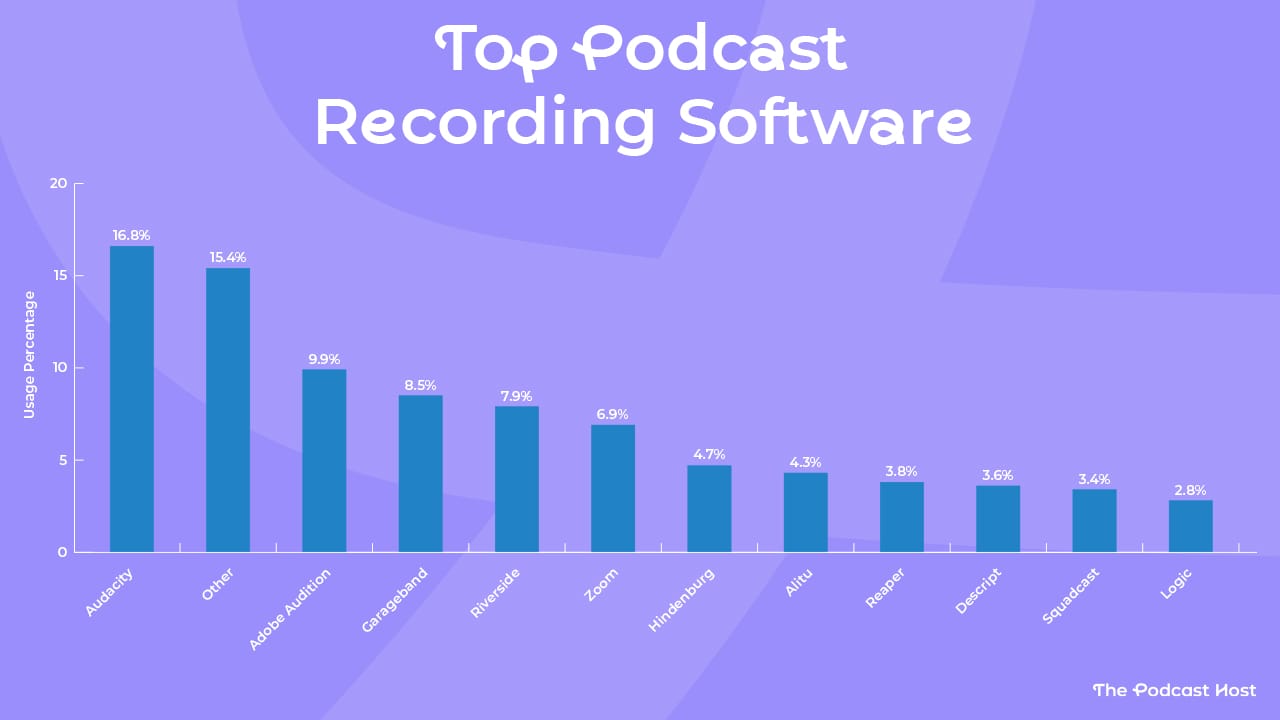
When we surveyed over 500 creators about their setups, we asked them which software they used to record their podcasts.
Audacity was a clear favourite here, with almost 17% of podcasters using it as their primary podcast recording platform.
The second most common response was “Other.” In many cases, this meant creators recording directly into smartphone apps or standalone digital recorders.
Beyond that, the results were fairly spread out across several tools. With a sample of around 500 podcasters, the differences between them are small, but the fact that these platforms appeared repeatedly makes them worth highlighting.
So let's run through that list, and I'll offer a few thoughts on each.
Audacity
At 26 years old, Audacity is the venerable grandad of podcast recording software. In fact, it pre-dates the word "podcasting" by almost four years!
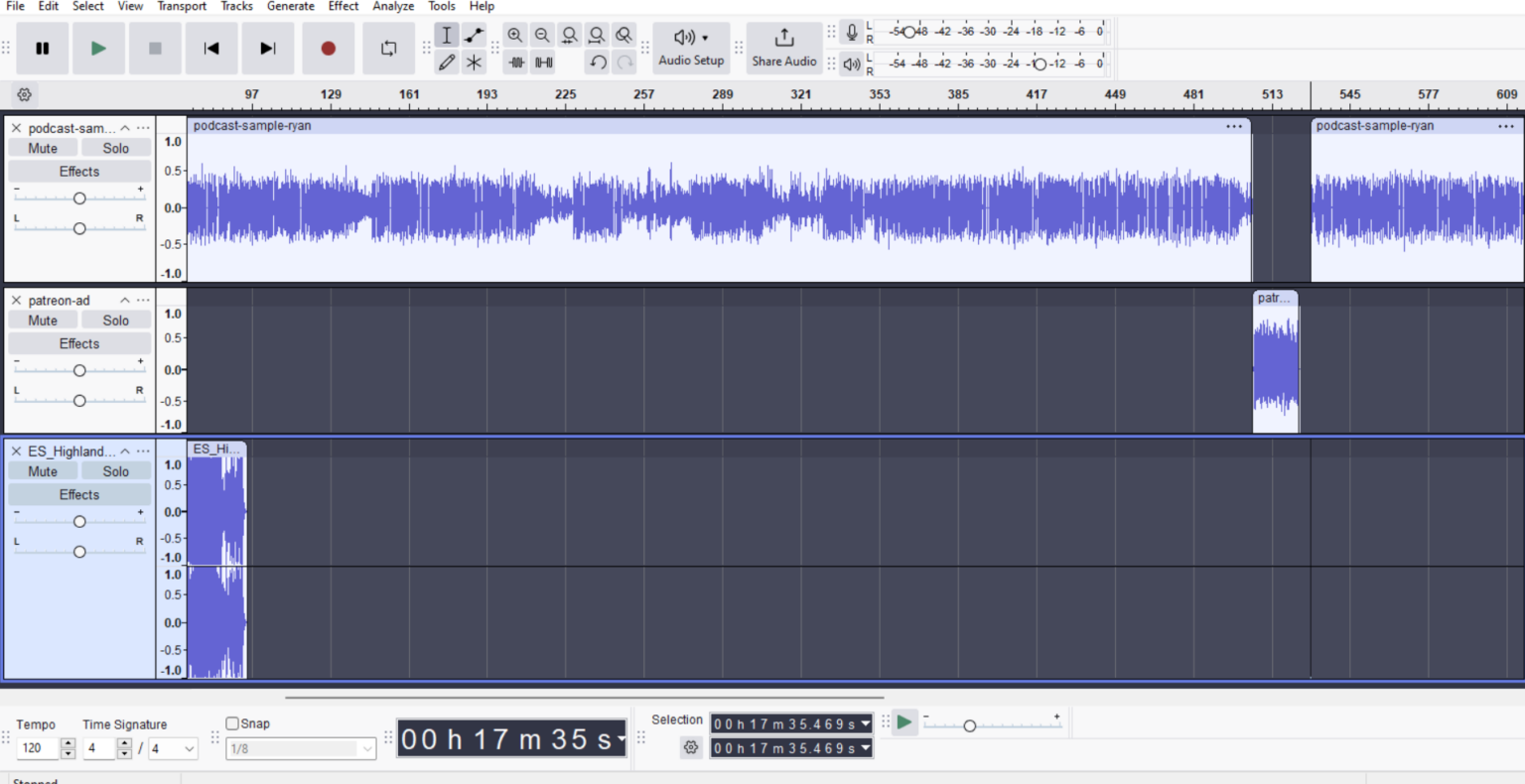
"Free, but complicated and clunky" was often my glib assessment of Audacity, but the platform has had a bit of a makeover over the past decade. It would still look intimidating to a beginner, but in my view, it goes toe-to-toe with Audition these days.
- Cost? Free
- Editing tools? Yes
- Video recording? No
- Publishing tools? No
Adobe Audition
Ah, my old pal. Audition is like a comfortable pair of slippers to me. Yet, I recommend it to almost no one.
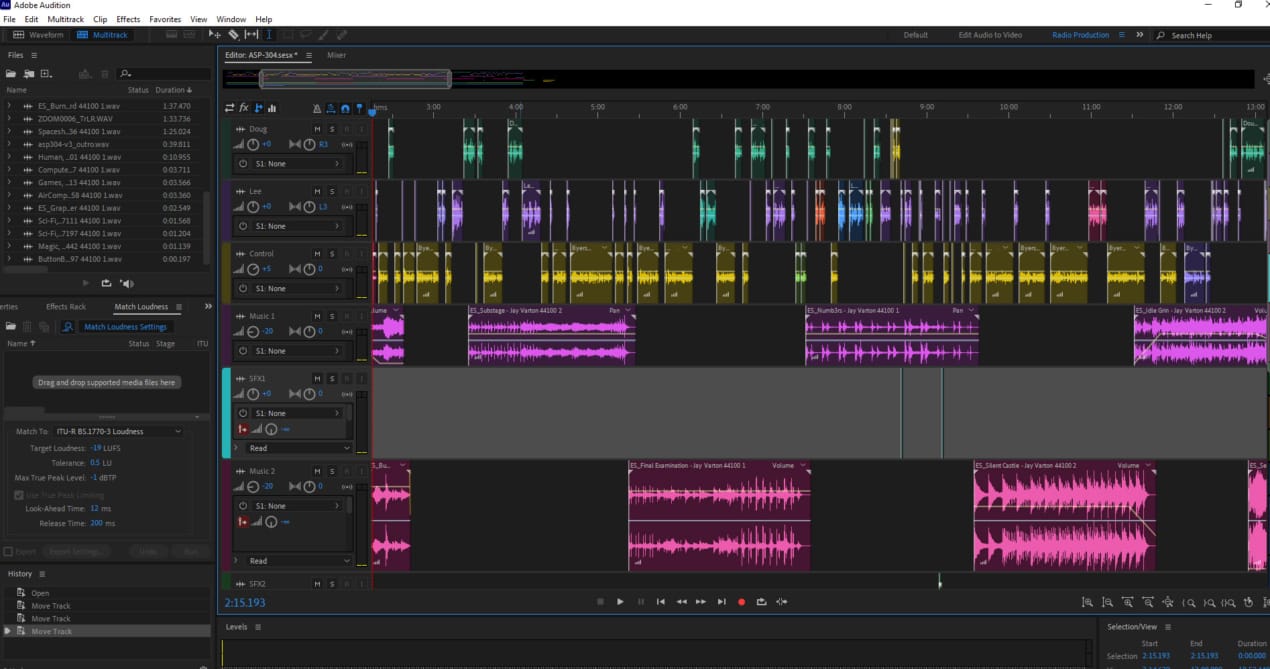
Frankly, it's overkill for most creators. Much of my podcasting background is in audio drama production, so all those extra tracks and tools come in handy. But for spoken-word content, they're not necessary.
Sadly, I also feel Adobe has neglected Audition. Premiere Pro gets all the love and attention these days. It pains me to say it, but look elsewhere for your podcast recording software.
- Cost? $23/month
- Editing tools? Yes
- Video recording? No
- Publishing tools? No
GarageBand
For Mac users, GarageBand has always been a decent on-ramp to recording, because, just like Everest, it is there.
Admittedly, I've only used it a handful of times in my life. It didn't leave much of an impression on me, but at least that means it wasn't terrible.
If you’ve got it, tried it, and thought “this is fine,” then bash on and record with it. Getting some early time in front of the mic matters far more than picking the perfect software. If GarageBand starts to feel limiting later, you can always switch to another platform.
- Cost? Free
- Editing tools? Yes
- Video recording? No
- Publishing tools? No
Riverside
I remember being shown around Riverside in 2019 by one of its co-founders and being really impressed. They've gone on to become pretty much the biggest podcast creation platform out there.
Their marketing makes them look very video-focused, but you can use Riverside to power your audio-only show just as well. They've steadily built up a stable of quality editing tools and most recently added hosting to their offerings. This makes them one of the few "all-in-one" platforms in this podcast recording software roundup.
- Cost? $29/month
- Editing tools? Yes
- Video recording? Yes
- Publishing tools? Yes
Zoom
Zoom was the telephone line of the pandemic, and it was a natural fit for all those folks chatting on endless work calls to record podcasts on it, too.
Zoom gets flak for its recording quality, but I don't honestly think it's all that bad. What might put you off is that the free tier puts a 40-minute cap on recordings. It does make me laugh that you can have 100 people on those calls, though. Just imagine that episode!
- Cost? Free (or $17/month to upgrade)
- Editing tools? Yes
- Video recording? Yes
- Publishing tools? No
Hindenburg
Here's one I don't have much experience with, but I know many folks in podcasting who swear by it.
Tools like Audacity, Audition, and Pro Tools are known as DAWs (Digital Audio Workstations), and most of them were originally designed for music production.
Hindenburg takes a different approach. It was built specifically for journalists working with spoken-word audio, and that focus shows in its clean, minimalist interface.
It’s easy to learn, but far from basic. As I say, I know a lot of vastly experienced producers making pro-level shows on Hindenburg.
- Cost? $12/month
- Editing tools? Yes
- Video recording? No
- Publishing tools? No
Alitu
Alitu is the original and best all-in-one podcast-maker software, and I'm not just saying that because... well, check the URL of this post. 😆
Seriously, though, Alitu was built from the ground up by a very small group of passionate indie podcasters, first to solve the problem of editing podcasts in old-school DAWs, then other features like recording (audio and video) and hosting were added.
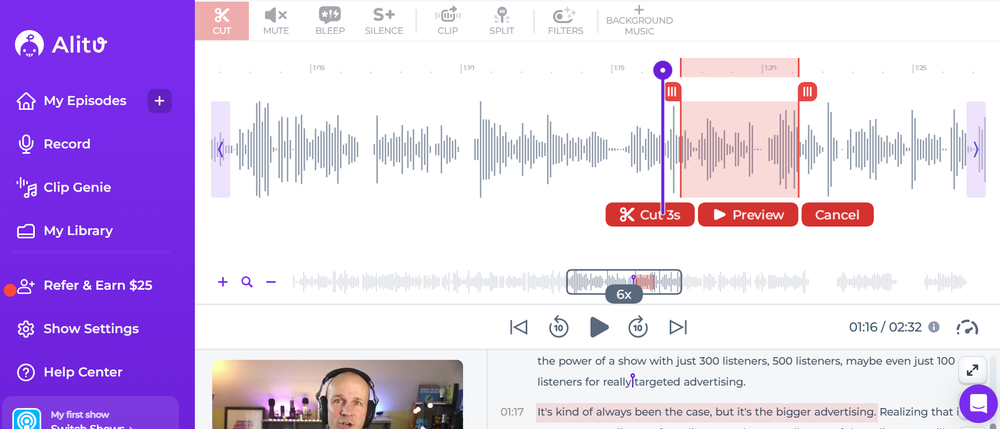
In Alitu, double-end recording protects remote calls from bad internet connections, then all the noise reduction, EQ, compression, and volume levelling are handled for you automatically. You can also edit by deleting text in the auto-generated transcripts, and it has automatic filler word and long pause removal tools, too.
Alitu's automatic cleanup is incredible, offering a safety net against terrible mic technique, or those situations where you accidentally record through your laptop mic. Check out the above sound sample, and you'll hear what I mean!
- Cost? $38/month
- Editing tools? Yes
- Video recording? Yes
- Publishing tools? Yes
Reaper
I don't fear the Reaper, but admittedly, I don't have much hands-on experience with it.
Like Hindenburg, Reaper has a dedicated core of evangelists running their shows on the platform. But unlike Hindenburg, Reaper assumes you’re comfortable configuring your own workflow. It’s powerful, flexible, and highly customisable.
One big plus for Reaper is that you can just buy it outright. Maybe it will take longer to master (no pun intended), but at least you don't have to pay for it anew each month.
- Cost? $60 one-off
- Editing tools? Yes
- Video recording? No
- Publishing tools? No
Descript/Squadcast
Descript bought Squadcast in 2023, and together they’re a powerful combo.
I’ve used Squadcast for years to record conversations, and it still works great as a standalone platform. But if you’re a Descript user, you can record remotely with Squadcast’s tech and edit everything seamlessly without leaving the platform.
Like Alitu and Riverside, Descript has automatic filler-word removal and text-based editing tools. Descript also has a popular Overdub feature, which lets you type in new dialogue or fix mistakes using an AI clone of your voice. But unlike Alitu and Riverside, there's no podcast hosting built in just yet.
- Cost? $12/month
- Editing tools? Yes
- Video recording? Yes
- Publishing tools? No
Logic Pro
I’ve actually only ever tried Logic Pro once or twice, about ten years ago, so I’ll struggle to say much about it from a personal use perspective.
That said, Logic is a full-featured DAW, and while it’s primarily aimed at music production, it’s perfectly capable of handling spoken-word podcasts.
The learning curve is steep compared with something like Audacity or GarageBand, but if you already know your way around Logic, it can be a powerful tool for recording, editing, and mixing audio.
- Cost? $199 one-off
- Editing tools? Yes
- Video recording? No
- Publishing tools? No
Summary: Best Podcast Recording Software
So, of the top 11 platforms podcasters record on, any one of them will do the trick. Some offer additional tools such as video recording, editing, and hosting. Costs vary, as do learning curves.
| Platform | Cost | Editing | Video | Hosting |
|---|---|---|---|---|
| Audacity | Free | Yes | No | No |
| Adobe Audition | $23/month | Yes | No | No |
| GarageBand | Free | Yes | No | No |
| Riverside | $29/month | Yes | Yes | Yes |
| Zoom | Free / $17/month | Yes | Yes | Yes |
| Hindenburg | $12/month | Yes | No | No |
| Alitu | $38/month | Yes | Yes | Yes |
| Reaper | $60 one-off | Yes | No | No |
| Descript/SquadCast | $12/month | Yes | Yes | No |
| Logic Pro | $199 one-off | Yes | No | No |
Whatever podcast recording software you choose, it should be a means to an end, and not the focus of your attention. Unless you want to become a sound designer or audio pro, learning and old school DAW from scratch is probably uneccesary.
Naturally, we'd love you to try Alitu. You can kick the tyres free for seven days and test all its tools and features out for yourself.
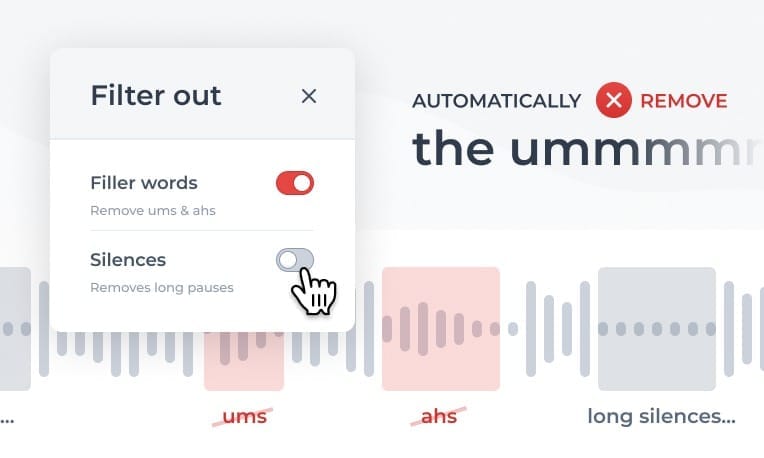
We genuinely feel it's the best all-in-one podcast-making platform on the planet. Not only can you record audio or video conversations, but there's a stable of powerful editing and production tools to add polish, and you can publish and distribute your show from within your account, too.
But, if you fancy another option, then hopefully this guide helped you find what you feel is a better fit. The most important thing, ultimately, is that you pick your tools and get on with launching your show.
You've got this!
