Podcast Equipment Guide: Real Case Studies From Real Creators
Choosing podcast equipment shouldn't break the bank or lead to procrastination. Here's an easy guide based on real-world experience!
Podcast equipment is a whole hobby of its own. I think it's fair to say, though, that if you're a gearhead, you don't need a guide like this to piece your setup together.
It's more likely that you're coming from this new, early-stage, or from the "non-techie" camp. The aim here isn't to have you buy a complex, expensive setup; it's to help you hit record and start publishing as soon as possible.
In 2026, exhaustive lists are redundant. I'm not going to tell you everything you could buy. Instead, I'll tell you what I use, and I'll ask a few podcasting pals about their equipment, too.
The Podcasters
These excellent creators were kind enough to share their setups and chip in with some advice, too.
- Izabela Russell is a podcast producer and co-founder of Music Radio Creative, specialising in podcast strategy, production, and branding.
- Joe Casabona is a podcast host and content creator focused on automation, productivity, and sustainable creator workflows.
- Rachel Corbett is a podcast strategist and founder of PodSchool, helping creators launch and grow quality shows.
- Colin Gray is the co-founder of The Podcast Host and Alitu, where he helps creators build sustainable, effective podcast workflows.
- Stephanie Fuccio is an experimental podcaster and coach who explores learning, movement, and AI through personal audio projects.
Alright, with our gang assembled, let's start this podcast equipment guide by focusing on the bit you talk into...
Microphones
The mic is the anchor of any podcasting setup. In some cases, the mic is the podcasting setup.
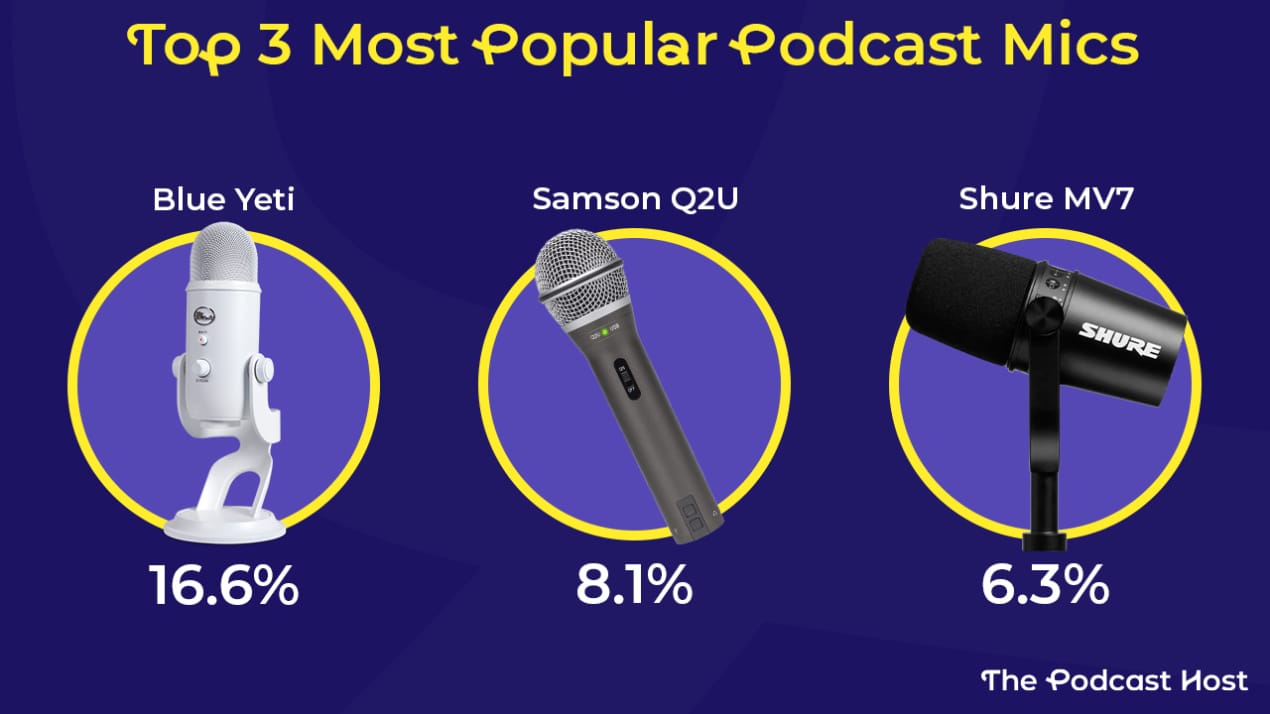
The Blue Yeti is the most popular podcast microphone, but it's USB-only and a little overpriced. It isn't a bad mic; it's just hard to recommend buying one when so many better options are out there.
So what might you choose instead?
Samson Q2U
The Samson Q2U is the second-most-popular mic in podcasting. Despite all the pro-level mics I've been sent for review over the years, the Q2U remains the one I use on a weekly basis. It's Stephanie's primary mic, too:
“I’ve been using it for years, for both in-person and remote recordings. I’m still using it for interviews and will continue to do so.”
The Q2U ticks many boxes:
- Costs less than $100
- Often comes with a pair of headphones
- Works in USB and XLR form
- Sounds good in ordinary rooms
- Copes well with handling noise
- Robust and durable
👉 Check out the Samson Q2U on Amazon
Shure PGA58
Also in the sub-$100 range, Rachel has been using the Shure PGA58 for about 15 years and still rates it highly.
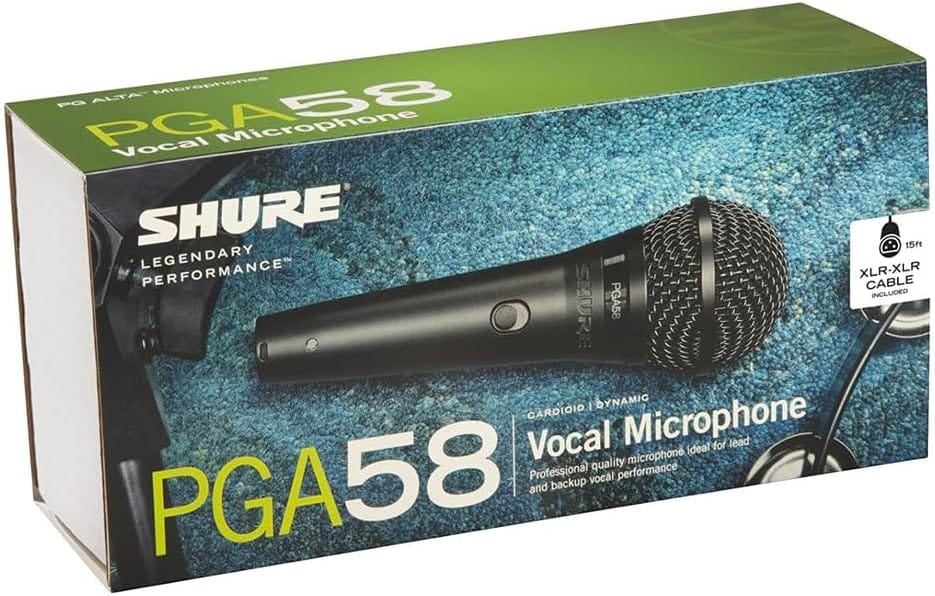
I wanted a simple, reliable vocal mic that I could take on the road but also plug straight into a recorder or computer at home via my audio interface. I also prefer a mic you can speak directly into. I’m ex-radio, so I tend to work very close to the mic, which helps minimise room noise, and the PGA58 is perfect for that. They're dynamic mics so they're good for a home set up and the audio quality is great.
Samson Q9U
Colin's always been a big fan of the Samson Q2U, but he's been enjoying the Samson Q9U. The Q9U takes the Q2U's sound quality to the next level, though it costs a bit more. Like the Q2U, you can use this mic in USB and XLR form.
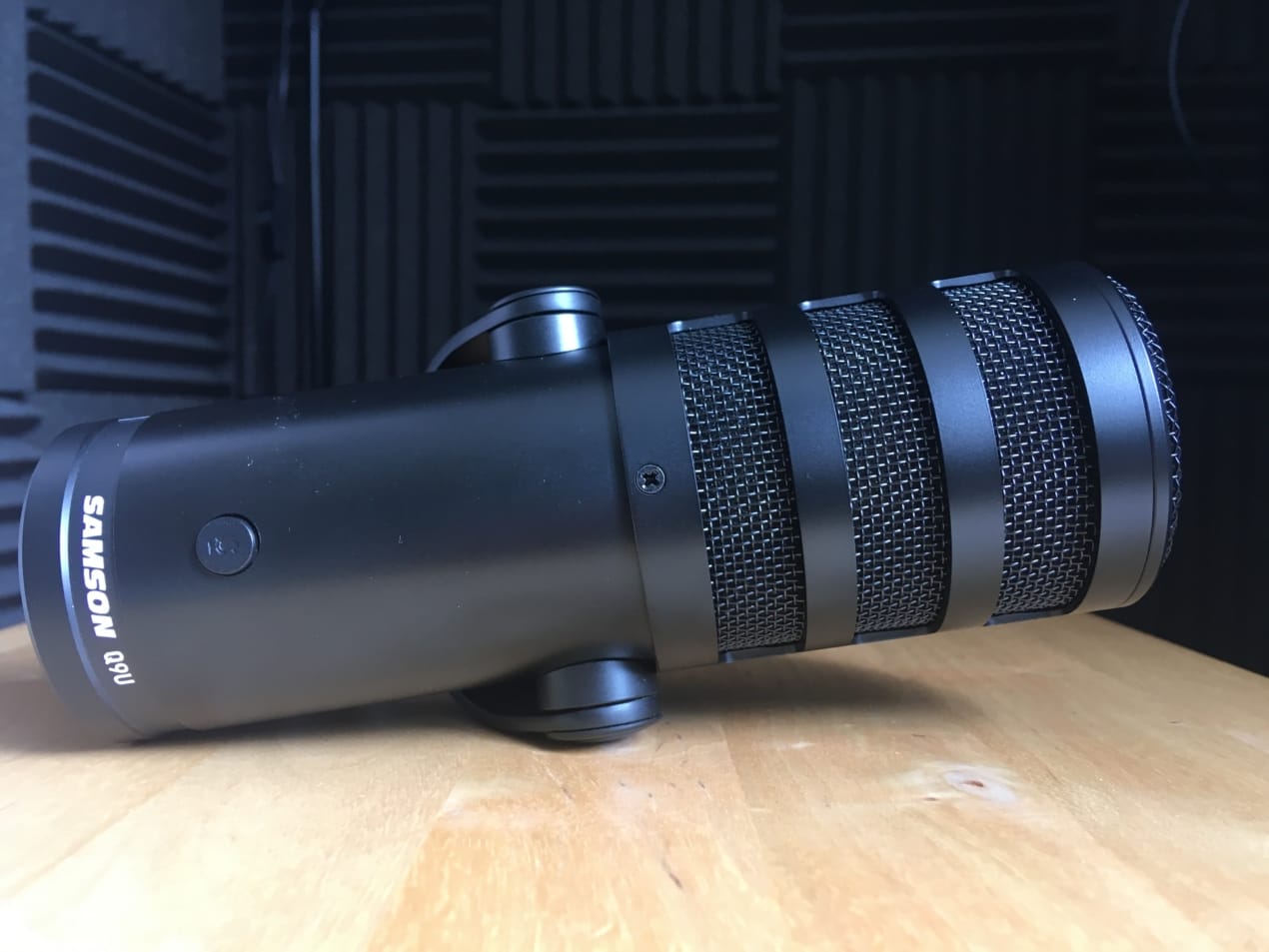
I've found that this actually just gives me a really nice sound for my voice, suits my voice well, and also it looks quite cool. It comes with its own windscreen, which I find quite useful as well. This windscreen is suited to the mic, and so it looks quite good on camera if I'm recording a video podcast.
Shure SM7B
The legendary Shure SM7B is the podcast mic Joe Rogan uses.
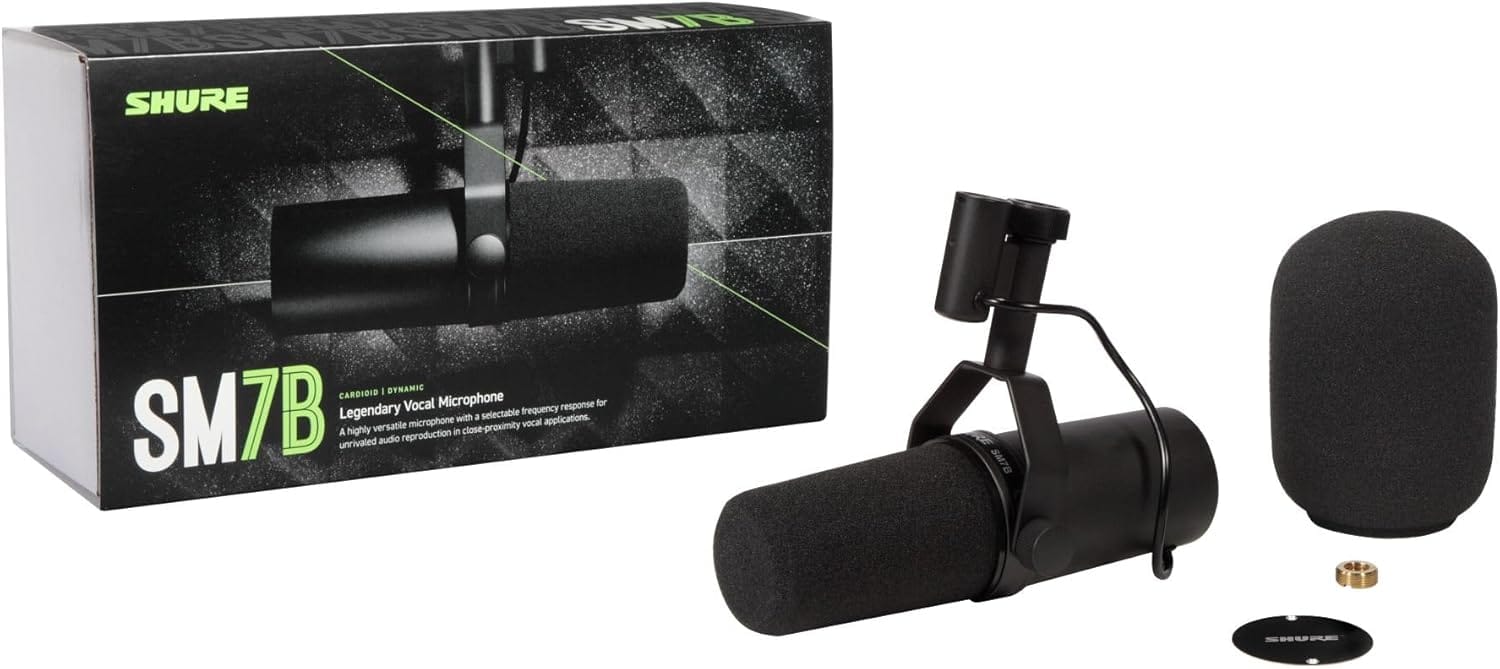
Rogan didn't respond to my request to tell us more about it, but fortunately, our own Joe did.
I’ve tried a bunch of mics from the cheapy USB mics to the Rode Procaster XLR. The Shure SM7B has worked best for me. I also got this around 2018-2019, before the deluge of afforable, vastly improved USB-C mics.
Izabela also swears by the SM7B and told me she'd buy another one if her podcast setup disappeared tomorrow!
I've tried a lot of mics before, from the Heil PR40 to the Neumann TLM103. None gave me the clear sound that Shure delivered on.
On-the-Go Podcast Microphones
I'm a huge fan of wireless lavalier mics. They can be carried and used anywhere, run directly into your smartphone, and don't require any mic technique beyond clipping them to your jumper.
They're also popular with video creators who don't want a mic stand or boom arm in front of them when the cameras are rolling.
My favourite is the Rode Wireless Micro. I take this wireless recording kit to events, record on walks, and, since it's no bigger than an earbud case, I can have it on me at all times.
A cheaper alternative is the BOYA Mini. I compared both and found there wasn't a massive difference between them.
Colin and Joe use the DJI Mic Mini kit, whilst Stephanie has been experimenting with the Hollyland Lark M2.
I'm doing this because I can move around more with this lapel mic and can record while walking in nature, which I love. I haven't found the perfect settings yet to clean it up to sound as good as the Q2U, but the physical freedom has been worth it so far.
Starting From Scratch
If I were starting again from scratch tomorrow, I'd still get a Samson Q2U and a Rode Wireless Micro kit. Izabela also spoke of her love for the Shure SM7B.
Would our other podcasters recreate their existing setups, or try something new?
Joe told me that, if his setup disappeared overnight, he'd opt for the Shure MV7+:
Good audio is SUPER important, and the MV7+ supports USB-C. It’s simple, and assuming I had a computer, I could get back up and running in no time.
Stephanie, on the other hand, would love to try out the Electro-Voice RE20:
After hearing someone use one on a podcast a few years ago, I asked them what mic they were using, and they said it was this one. I'm far too much of a cheapo to buy one, to be honest, but if I found a good second-hand one for even half the price, I'd jump on it. It's so silky sounding.
Meanwhile, Rachel explained that her one limitation of the PGA58 is that she has to speak very close to the mic, which works beautifully for audio but isn’t ideal for video because it covers part of her face.
Because of that, she's currently experimenting with the RØDE PodMic for video podcasting and has been impressed by how forgiving it is with mic distance and room noise.
Finally, if Colin's Q9U and Rodecaster were sucked into an Eldritch portal, he'd have no qualms about resurrecting the Samson Q2U.
If it all disappeared tomorrow, I'd quite happily just go back to the Samson Q2U, RODE PSA boom arm, and just plug that into the computer. That would be totally fine. I would miss the fact that I don't have the cough button, but that's fine.
Rode Wireless Micro ($99)
RØDE PodMic ($89)
Electro-Voice RE20 ($449)
Shure MV7+ ($299)
Shure SM7B ($440)
Audio Interfaces, Recorders, & Mixers
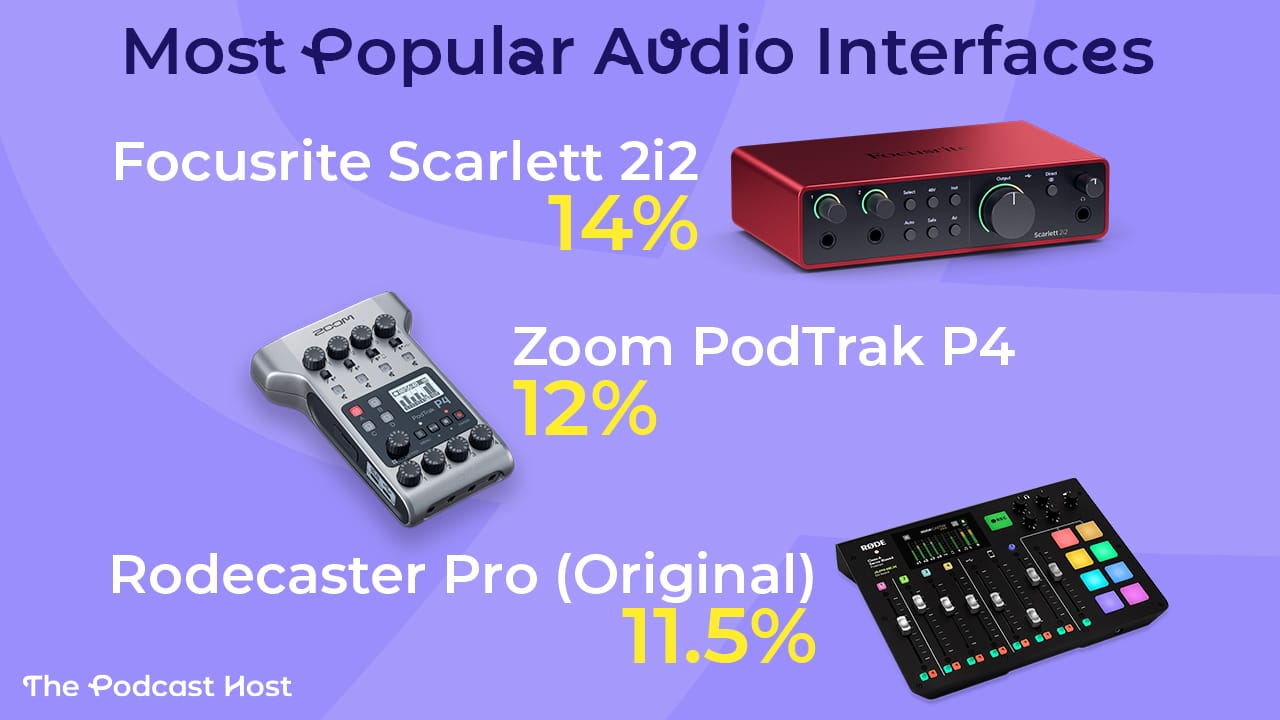
If you're venturing beyond USB mics and want to connect via XLR or use multi-mic setups, you'll need an audio interface, digital recorder, or mixer. There are a few brands that dominate this space, a notable three being Focusrite, Zoom, and Rode.
Focusrite
The most popular audio interface in podcasting is the Focusrite Scarlett 2i2. My own one served me well for over a decade. Once its age began to show, I replaced it with the Focusrite Vocaster 2, which is basically the 2i2 rebuilt specifically for podcasters.
The Vocaster is simple and uncluttered, but it offers some nice vocal presets to improve your sound at the touch of a button. I connect my Samson Q2U when recording remotely, or add a second mic via XLR when podcasting with someone locally.
Stephanie told me she used the Focusrite Scarlett 2i2 with two Q2Us as an in-person interview setup for years before being forced to mix up her format due to the pandemic. Whether you opt for a Scarlett or a Vocaster, they're both very capable audio interfaces.
Zoom
Zoom recorders formed the backbone of podcast recording setups long before Zoom calls were a thing. They're a totally different company, by the way!
I've used every Zoom recorder over the past 15 years, and they're all great. Most have quality mics built in for "point and shoot" conversations. The original Zoom H1 and the H2N weren't designed to take XLR mics, but the H4, H5, and H6 models morphed into mini podcast studios.
Rachel uses the Zoom H6 both as a portable recorder and as a USB audio interface.
This gives me portability and flexibility. I could record interviews anywhere, but also use it as an interface when recording online.
I'm also a fan of the Zoom PodTrak P4, another podcaster-specific bit of kit. This one doesn't have built-in mics, but you can connect up to four XLR mics, bring in phone calls, and record music and effects as you chat.
RØDE
Joe and Izabela both use what many consider the ultimate all-in-one podcast recorder: the Rodecaster II. It's a hefty bit of kit, definitely not portable, and it doesn't come cheap. But if you have the permanent space and the budget, the Rodecaster sits comfortably as the lynchpin of any podcast studio.
Colin uses a downsized version of the Rodecaster, the Rodecaster Duo. He likes it, though cautions against forking out over $500 for one yourself.
The Rodecaster Duo has a great little mute button for my mic, giving me more control than just USB microphones into the computer. But it's a bit overkill just for the alone. It does give me a bit more control over the input as well, which is quite good. As in the input volume. But the honest answer is it's probably not worth it on its own. If I hadn't been given it as a review unit, it wouldn't be worth the money on its own for what I use it for.
If I were buying an audio interface tomorrow, I'd go with the Focusrite Vocaster 2. For not much more than $100, you're set up to record XLR mics into your computer for either remote or in-person conversations.
Focusrite Vocaster 2 ($120)
Zoom H6 ($325)
Zoom PodTrak P4 ($149)
Rodecaster Pro II ($529)
Rodecaster Duo ($450)
Podcast Headphones
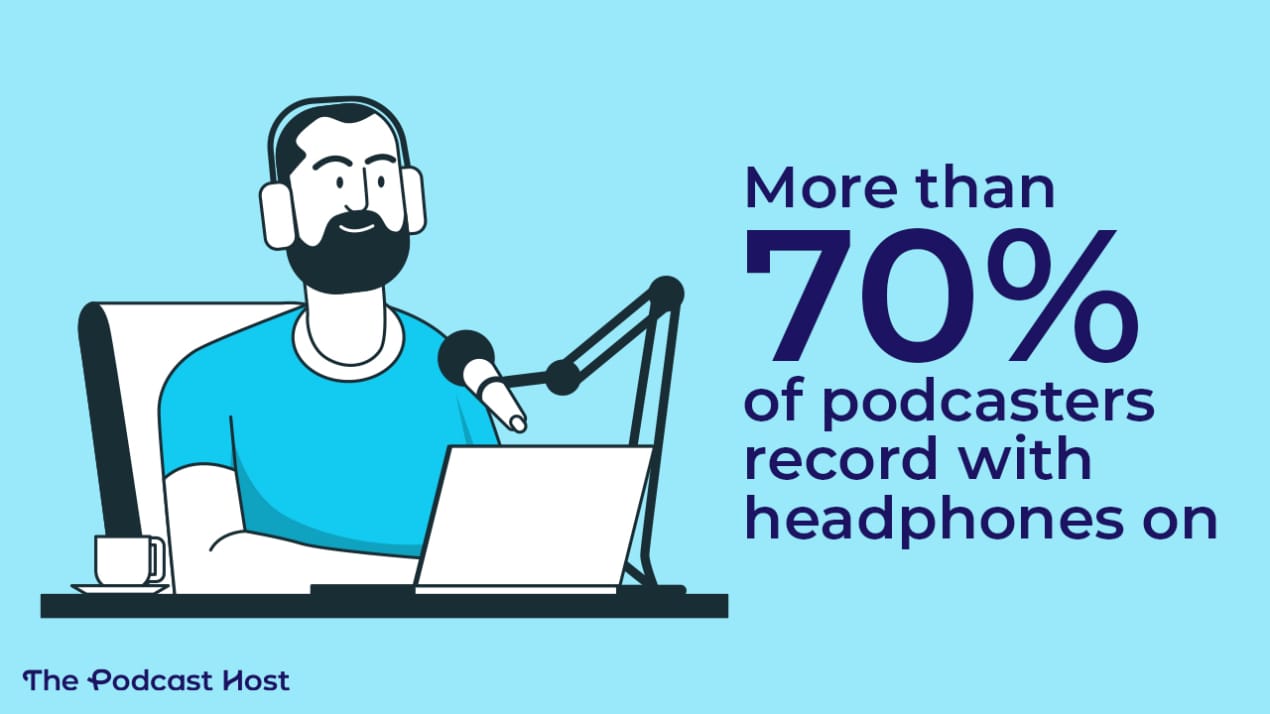
According to the 2024 Podcast Equipment Report, more than 70% of podcasters record with headphones on. Rachel explains why:
Headphones are non-negotiable for me because I always want to hear exactly what’s being captured, even if they don’t look great on camera.
Rachel uses a pair of wired Apple EarPods during her recording session. Honestly, that's all you really need just to keep a check on things and make sure you pick up on any glitches or problems in real time.
Stephanie told me she's a little more selective when it comes to wearing headphones:
“I only use headphones when recording if there is someone else in the episode but if I'm recording solo, I don't wear them. I'm also super sound sensitive and hearing myself through my headphones is very distracting for me.”
So wearing headphones is a matter of personal taste. But if you'd like to have a pair on-hand beyond your regular earbuds, what are your options?
Audio-Technica Headphones
My favourite headphones are a well-worn pair of Audio-Technica ATH-M40x. The ear pads are peeling after years of use, but they’re still comfortable, and the sound quality remains excellent.
Before the M40x, I used a pair of Audio-Technica ATH-M20x, which are more affordable. Honestly, they sounded just as good to me.
If I were starting from scratch and trying to keep costs down, I’d happily choose the M20x again.
Beyerdynamic Headphones
Joe and Izabela both use pretty high-end cans. Joe has a Beyerdynamic DT 770 PRO 250 ohm set, and Izabela says she loves the Beyerdynamic 990 PROs.
If you're starting out or on a budget, these are complete overkill, but if you're looking to build a pro-level setup, both sets are fantastic options.
Samson Headphones
Samson makes some decent headphones, and the SR850s are worth a mention, but Colin swears by the old HP20s that come in the Samson Q2U podcast bundle.
The padding is all worn away, but I just really like them. I think they give a good balance of not blocking up my own voice from myself and also decent audio from the guest. I don't like over your headphones where you can't hear yourself very well and have to listen only through monitoring. It's never really got on with me well.
In some regions, you can buy the Q2U along with a set of headphones for less than $100!
Audio-Technica ATH-M20x ($45)
Audio-Technica ATH-M40x ($110)
Beyerdynamic DT 770 PRO 250 ohm ($199)
Beyerdynamic 990 Pro ($199)
Samson SR850 ($50)
Samson Q2U Bundle with headphones ($99)
Video Podcast Cameras & Gear
I'll start this section by qualifying that video is an optional extra in podcasting. It's entirely your choice if you choose to add video, or if you'd prefer to remain an audio-only show.
Rachel has published both in recent years. She records videos with her iPhone on the Riverside platform. But now, she wants to pull back on the visuals:
This year, I’m intentionally going back to audio-only for most of my recording. Video has become too time-intensive to fit into my life alongside a full-time job and a toddler, and I’m very happy leaning back into audio.
Steph uses a Logitech C920 HD Pro Webcam and sometimes her phone camera, depending on the context. I've recently been playing with the Nearstream VM20 and Yolocam S3 and found them pretty good. And both Joe and Izabela use the Sony Alpha 6400. Joe said:
I do a lot of video production on top of my podcast, and I want do to as little editing as possible. Having the 3-camera setup run through Ecamm Live and controlled by the Stream Decks, along with the excellent and easily changble lighting, means most of my work is live production and I just clean up in the edit.
Colin uses the Insta360 Link for its simplicity, but occasionally deploys the Canon EOS M50 Mark II, which delivers noticeably stronger image quality.
To use the Canon as a webcam, he connects it via HDMI to an Elgato Cam Link 4K, which lets his computer treat it as a standard webcam.
In front of the camera, he positions the Elgato Prompter. That allows him to see his guest directly in line with the lens, so his eye contact feels natural rather than slightly off to the side.
The result is a setup that adapts to the situation: quick and simple when speed matters, and more cinematic when quality matters. With that said, Colin's setup is a lot more than most podcasters need, and he doesn't necessarily recommend you copy him:
The advice I always give new creators is to keep it really simple at first. The more parts there are to your content creation process, the more parts there are that can break, or the more parts that can need maintenance.
If you plan to add a visual element to your show, check out our full guide on Podcasting With Video in 2026.
Nearstream VM20 ($270)
Yolocam S3 ($200)
Sony Alpha 6400 ($1000)
Insta360 Link ($200)
Canon EOS M50 Mark II ($1390)
Elgato Cam Link 4K ($80)
Elgato Prompter ($230)
Other Podcast Equipment
A few other components make up the podcast equipment chain. These aren't as glamorous or as widely discussed as mics, cameras, and headphones. But for many, they're an essential part of the rig.
Boom arms are the optimal way to mount a mic. They let you easily adjust your mic position, minimise unwanted noise from the desk, and just make you feel a little more professional. Colin has used the Rode PSA1+ for years, and my go-to is the IXTech Lizard.
Pop filters are great in theory, but in practice, they can be unwieldy and obtrusive. Most mics come with foam windjammers, and these, combined with decent mic technique, can negate the need for an additional pop filter.
Sound treatment is anything you can do around your recording space to minimise reverb. Some podcasters cover their walls and ceilings with foam tiles, though this is impractical for many. Really, you only need to treat the area around your mic and not the entire room. Popping your mic in a cat bed can do the trick!
Computers & Software
It's likely you already own a computer or laptop, but if not, here are some great options for content creators:
On the software front, Alitu has everything you need. This all-in-one podcast maker tool was built to solve the problem of editing. People either had no clue how to do it, or it was simply taking them way too long. Alitu reimagined how podcast editing could look if it were accessible to everyone, even complete beginners.
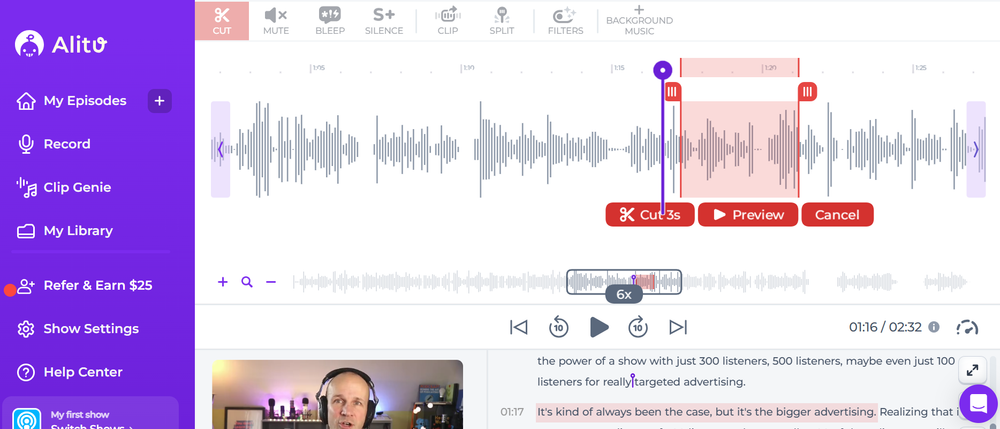
In 2026, editing on Alitu has only gotten easier. You can even edit by deleting text in its automatically generated transcripts, which removes the corresponding audio.
You also don't need to know the slightest thing about Noise Reduction, EQ, Compression, or volume levelling - Alitu does that all automatically for you under the hood. The Noise Reduction is so good that it's scary:
Alitu isn't just an editor, though. It has video and audio call recording tools, as well as podcast hosting. This means you can create your show, then push it out to Apple Podcasts, Spotify, and all those other podcast apps without having to log in anywhere else.
If you want to try it all out yourself, then Alitu has a seven-day free trial.
Summary
Podcast equipment is a means to an end. It shouldn't break the bank, get in the way of starting, or require your constant attention.
It's impossible to recommend a one-size-fits-all setup, but here's one that would fit for almost all new podcasters.
- Get a Samson Q2U (with headphones), and you can record solo or remote conversations in USB form right away.
- Later on, if you upgrade to an interface like the Focusrite Vocaster 2, you won't need a new mic. The Q2U will connect in XLR form.
- Grab a set of BOYA Mini smartphone lav mics for all recording away from the computer.
If I were starting tomorrow and on a tight budget, that's what I'd do. But of course, there are always nuances, so revisit any part of this article to make sure there's nothing that feels like a better fit.
As Izabela advises, "Buy well, and you will buy once."
