5 Common Pitfalls When Using ChatGPT for Podcast SEO
Used well, ChatGPT can save hours. Used poorly, it creates noise. The difference usually comes down to a few avoidable mistakes.


ChatGPT can absolutely help your podcast with discoverability. But used the wrong way, it can also quietly undo a lot of good work.
If you’re an indie podcaster who’s short on time and money but deeply invested in your show, this matters. You don’t have hours to redo things. You want tools that support your effort, not ones that add confusion or generic fluff.
Throughout this ChatGPT for Podcast SEO series, I’ve shown how I use the chatbot to speed things up and make SEO feel more manageable, while also flagging potential pitfalls. This post pulls those moments together, in the same order you’d realistically use ChatGPT while working on an episode.
Used well, ChatGPT can save hours. Used poorly, it creates noise. The difference usually comes down to a few avoidable mistakes.
#1 Don't let ChatGPT generate output before you’ve clearly defined the goal
ChatGPT is fast. That’s great, until it isn’t.
If you paste in a transcript and ask something vague like “help me improve this,” you’ll get output, but it probably won’t be what you actually need. Titles drift. Show notes get bloated. SEO gets fuzzy.
And speaking of SEO, in this post, “search” refers to how podcast platforms, YouTube, and search tools use your episode text to match content with what people are looking for.
In Post 2 of this series (crafting click-worthy episode titles), the focus was on slowing things down before speeding them up. That’s why this workflow starts with setting the task clearly before asking ChatGPT to do anything.
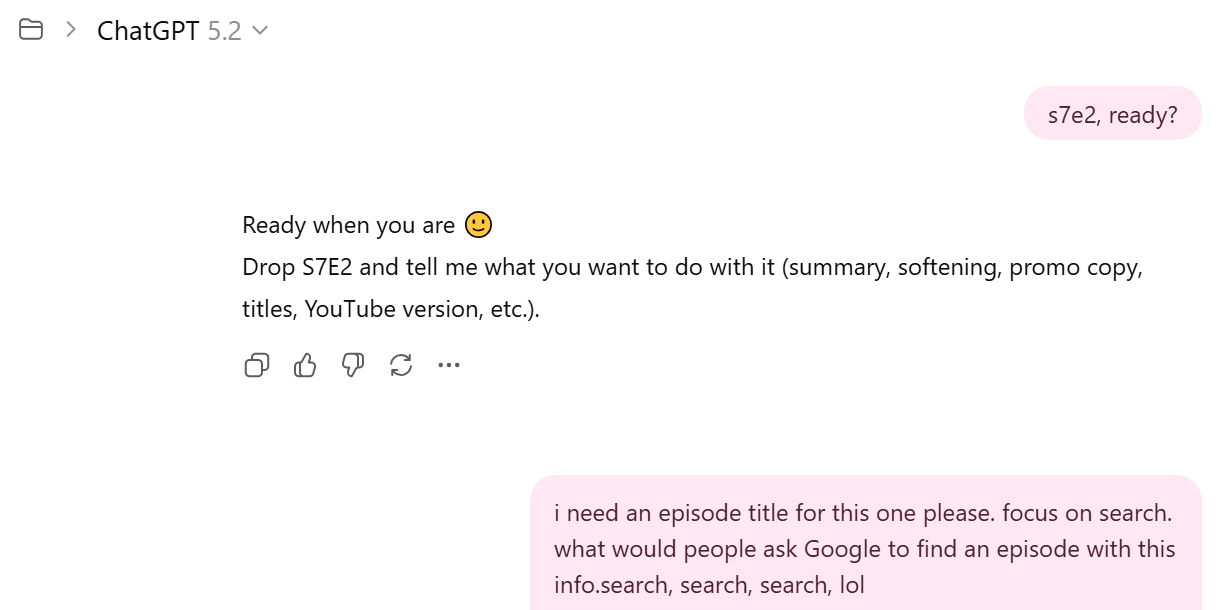
This pitfall usually shows up when:
- the goal isn’t stated clearly
- it’s unclear what people would actually search for to find the episode
- ChatGPT is asked to solve multiple problems at once
You don’t need perfect prompts, but you do need clarity. A sentence or two explaining what you’re trying to achieve can save you a lot of cleanup later.
#2 Don't treat ChatGPT’s keyword suggestions as final answers
One of ChatGPT’s biggest strengths is also one of its biggest risks.
It’s very good at suggesting related keywords and phrases you might not think of, which is helpful when you’re too close to your own work. Problems start when those suggestions are treated as decisions instead of options.
ChatGPT can tell you that people often search for “move abroad” instead of “expat,” but it can’t decide which language best fits your audience, your tone, or your episode.
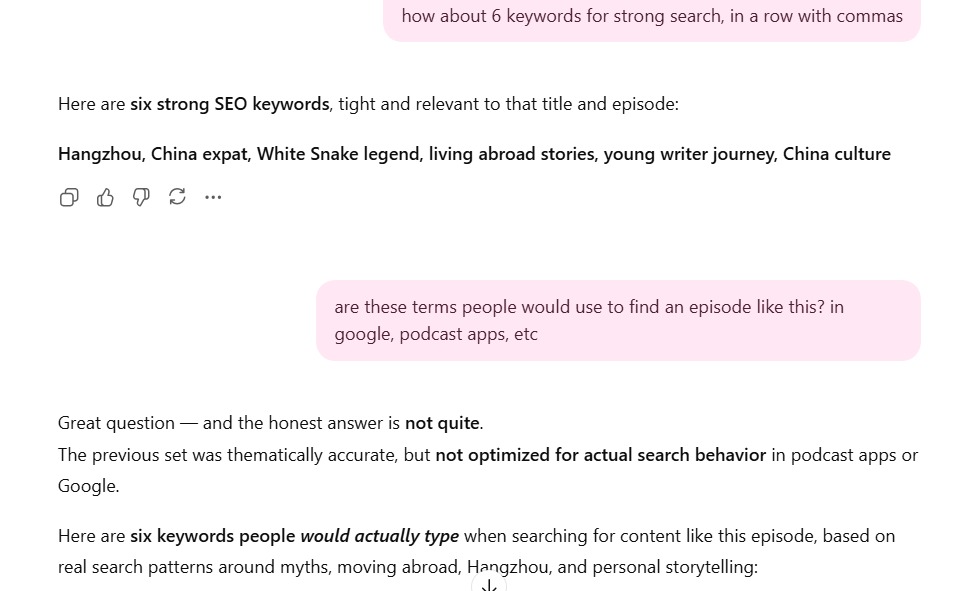
When this pitfall shows up, podcasters tend to:
- swap their own language out too quickly
- optimize for keywords that technically fit but feel off
- lose what made the episode specific in the first place
The fix isn’t complicated. Use ChatGPT to widen the field, then choose intentionally. Keywords are clues, not instructions.
#3 Don’t build chapters from the transcript alone
ChatGPT can scan a transcript and suggest sections quickly, but it doesn’t experience the episode the way a listener does.
When things like audio chapters or YouTube timestamps are based too heavily on the transcript, they can end up technically correct but awkward. For example, a new chapter might start when a speaker asks a question, even though the topic actually shifted midway through the previous reply.
This pitfall usually shows up when those decisions are rushed. Chapters get divided evenly, timestamps land mid-thought, or sections feel more logical on paper than they do when you listen.
Use ChatGPT to spot possible breaks, then check those suggestions against how the episode actually sounds. A quick listen or spot check is usually enough to make sure the result feels natural and trustworthy.
#4 Don't publish ChatGPT-generated content without a human edit
Even with a strong prompt, ChatGPT produces drafts, not finished work.
It’s great at summarizing transcripts, organizing ideas, and getting you past a blank page. But it can also add details that don’t quite fit, flatten nuance that mattered in the conversation, or lean into phrasing that sounds fine but isn’t fully accurate.
This pitfall usually shows up when you’re short on time and the output looks “good enough.” The temptation is to paste it straight into your podcast host and move on.
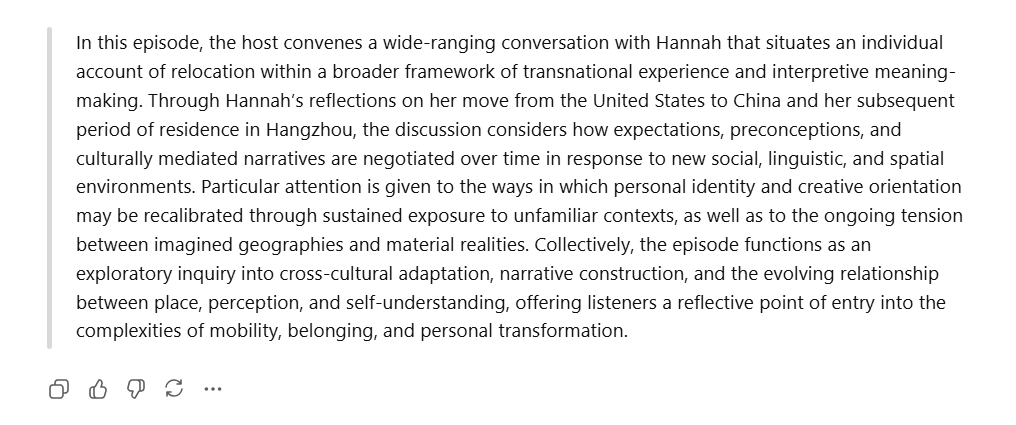
When that happens, podcasters often:
- miss small inaccuracies or assumptions
- publish language that doesn’t quite sound like them
- unintentionally shift the tone of the episode
None of these are huge mistakes on their own, but over time, they can make a podcast feel generic or slightly disconnected from what was actually said.
A light human edit is usually enough. Read it once, tighten the opening, and remove anything that doesn’t belong. Make sure it reflects the episode you recorded, not just a clean summary.
#5 Don't use the same ChatGPT text everywhere
Every platform is used differently, so your content should reflect that.
Podcast apps are built for listening, which is usually a more linear experience. Most listeners start at the beginning and either keep going or drop off. YouTube works differently. It’s built for scanning, skimming, and jumping around.
When the same ChatGPT-generated text is reused on both platforms, it often fits one platform well and quietly fails on another.
This pitfall usually shows up when:
- audio chapters are copied straight into YouTube timestamps, or vice versa
- labels make sense in one context but feel vague or unhelpful in another
- platform behavior is treated as an afterthought
ChatGPT can help draft content for different platforms, but it doesn’t automatically understand how people use each one. You need to be explicit about the context in your prompts and do a quick vibe check when reviewing the output.
A quick review is usually enough. Ask whether the text helps someone decide where to click or where to start on that platform.
Use ChatGPT to draft your podcast text, then adapt it to work where it’s actually going to live.
Using ChatGPT as support, not a shortcut
If you’re an indie podcaster, you’re already doing a lot with very little. You care about your show, even when time is tight and motivation dips. ChatGPT won’t fix everything, but used well, it can take some of the pressure off.
The goal isn’t perfect SEO or flawless metadata. It’s support. It’s having a second brain to help you move faster on the parts of podcasting that usually get rushed or skipped.
If you’ve been hesitant to use ChatGPT for podcast SEO, start small. Pick one episode and use it for a single task, a title, a first draft of your show notes, or a short set of timestamps. Stay involved, trust your judgment, and pay attention to what time and mental effort it gives back.
This post is one part of a broader look at how ChatGPT can support podcasters in practical ways. The rest of my ChatGPT for SEO series breaks down specific workflows, prompts, and real-world examples you can adapt without losing your voice or adding unnecessary complexity:
